Seagate Portable 1TB External HDD USB 3.0 (Plug-and-Play) Review 2026: Is it Worth It?

Quick Analysis Verdict
"A low-cost, bus-powered portable backup drive for casual users and console/media storage; not recommended for high-performance editing or primary game installs."
Review Methodology
Why this analysis may help before you buy
Rating signal
We weigh star rating together with 267,472 visible reviews so a rating is not judged in isolation.
Buyer momentum
Recent purchase activity and category badges help us identify products shoppers are actively considering.
RefreshBuy score
The score combines performance, quality, value, and ease-of-use signals for this category.
Decision Guide
Is Seagate Portable 1TB External HDD USB 3.0 (Plug-and-Play) a good fit for you?
For shoppers comparing Computers & Accessories products, this Seagate option looks strongest on ease of use with a 9.0/10 signal. The main area to double-check is performance, especially if that is your top priority.
Portable, low-cost backups and cross-platform media storage (photos, videos, console backups, cold file storage).
very broad review coverage, 4.6/5 rating, and 100+ recent monthly purchases.
Value score 8.0/10 at $174.99 current tracked price.
Choose it if
You want a Computers & Accessories pick where the strongest measurable signal is ease of use and the current review base is large enough to compare with alternatives.
Compare alternatives if
Your buying decision depends mostly on performance, long-term durability, or a lower final checkout price after marketplace changes.
Before buying
Check both Amazon Canada and Amazon US from this detail page, then compare similar Computers & Accessories products below before deciding.
Portable, low-cost backups and cross-platform media storage (photos, videos, console backups, cold file storage).
Great Value
Typical portable HDD lifespan of ~3–4 years under normal consumer use; careful handling and safe-eject practice extend life; not recommended for nonstop 24/7 operation.
Key Buying Points
USB 3.0 bus-powered HDD — provides plug-and-play transfers on laptops, PCs, and consoles without an external power adapter, making it easy to carry and use on the go.
1TB mechanical storage — affordable per-gigabyte capacity ideal for photo/video archives and cold storage where write/read speed is secondary to capacity.
Multi-platform compatibility — recognized automatically by Windows and works with Mac after optional reformatting (NTFS vs exFAT/HFS+), simplifying cross-device backups.
Compact, pocketable enclosure — small lightweight footprint and quiet operation make it convenient for travel and desktop overflow storage.
Includes short USB cable — ships with a dedicated 18-inch cable for immediate use; reduces friction but creates dependency on that specific cable type if lost.
1-Year Rescue Service — bundled data-recovery option provides an extra safety net for accidental media failure during the initial ownership period.
Proven reliability in field use — numerous user reports show long-term stability with routine backups, making it dependable for users who maintain copies and follow safe-eject practices.
The Catch
Mechanical drive limitations — HDD access latency and sequential throughput are significantly slower than SSDs, so performance-sensitive tasks (editing, install/play) will feel constrained.
Proprietary/short cable dependency — the included cable is specific to the unit; losing it may require searching for a compatible replacement rather than swapping any USB lead.
Plastic enclosure feel — the one-piece plastic case reduces perceived build quality and offers less thermal dissipation than metal-bodied alternatives.
Not ideal for heavy 24/7 NAS duty — designed as a portable drive; continuous always-on NAS use increases wear risk compared with NAS-rated drives.
Limited warranty window — one-year bundled Rescue Service and warranty is modest; long-term data protection relies on user backup discipline or extended support purchases.
Performance Scorecard
Common Questions & Expert Insights
Q: Is this drive safe for storing irreplaceable photos and backups long-term? ▼
Q: Can I use this drive as the primary drive for gaming or video editing? ▼
Q: Will accidental unplugging corrupt my files? ▼
Q: Does this drive work with macOS out of the box? ▼
Q: Will it work with PS4, PS5 and Xbox consoles? ▼
Q: Does the drive require an external power adapter? ▼
Q: How should I maintain and eject the drive to avoid issues? ▼
Q: How do I recover files if the drive starts failing? ▼
Q: External HDD vs external SSD — which should I pick? ▼
Q: Is the 1TB model enough or should I buy a larger capacity? ▼
You May Also Like
Top-rated alternatives in Computers & Accessories
 Save 23%
Samsung 990 PRO 2TB NVMe PCIe Gen4 M.2 SSD for Gaming/PC
 Save 40%
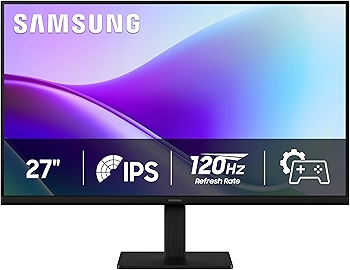
Samsung LS27F320GANXZA 27-Inch IPS FHD 120Hz Monitor with Game Mode
 Save 43%
Logitech Brio 101 Full HD 1080p Webcam with Privacy Shutter
 Save 29%
Samsung 9100 PRO 1TB PCIe 5.0 x4 NVMe M.2 SSD - Thermal Control

 Save 37%
