plimpton Kids20 10-Inch Android 15 Kids Tablet with EVA Case Review 2026: Is it Worth It?

Quick Analysis Verdict
"A cost-conscious, kid-focused 10-inch tablet with modern Android and a rugged EVA case — ideal for parents who want current OS, parental controls and physical protection; not for users who need long battery life, high-end cameras or gaming performance."
Review Methodology
Why this analysis may help before you buy
Rating signal
We weigh star rating together with 131 visible reviews so a rating is not judged in isolation.
Buyer momentum
Recent purchase activity and category badges help us identify products shoppers are actively considering.
RefreshBuy score
The score combines performance, quality, value, and ease-of-use signals for this category.
Decision Guide
Is plimpton Kids20 10-Inch Android 15 Kids Tablet with EVA Case a good fit for you?
For shoppers comparing Computers & Accessories products, this plimpton option looks strongest on value with a 8.0/10 signal. The main area to double-check is performance, especially if that is your top priority.
A supervised education and media tablet for children (3–10) where protection, app ecosystem and parental controls matter more than premium performance.
limited-but-useful review coverage, 4.1/5 rating, and 200+ recent monthly purchases.
Value score 8.0/10 at $169.99 current tracked price.
Choose it if
You want a Computers & Accessories pick where the strongest measurable signal is value and the current review base is large enough to compare with alternatives.
Compare alternatives if
Your buying decision depends mostly on performance, long-term durability, or a lower final checkout price after marketplace changes.
Before buying
Check both Amazon Canada and Amazon US from this detail page, then compare similar Computers & Accessories products below before deciding.
A supervised education and media tablet for children (3–10) where protection, app ecosystem and parental controls matter more than premium performance.
Great Value
2–3 years under normal child use with the included EVA case; internal plastic components suggest moderate long-term durability but warranty/support mitigate risk.
Key Buying Points
Android 15 with GMS certification: Current Android build and Google services preinstalled for broad app compatibility and safer onboarding of education apps.
Kid Space & Parental Controls: Preloaded child profiles, educator-recommended apps and time/ content controls make supervised learning setups faster to deploy.
Rugged EVA shockproof case with rotating stand: Integrated odorless EVA bumper plus 360° rotatable bracket reduces breakage risk and frees hands during video or lessons.
Expandable storage via microSD: 64GB onboard plus expandable storage support keeps videos, photos and offline content without constant juggling.
10.1-inch HD IPS with low-blue-light mode: 1280×800 IPS panel with eye-protection and auto-brightness for clearer viewing and reduced eye fatigue in kids.
Practical connectivity: Reliable Wi‑Fi and Bluetooth support for streaming, keyboards and speakers; 3.5mm jack retained for wired headphones.
Responsive support and warranty: Two-year replacement service (non-human damage) and responsive seller support reported in reviews, lowering ownership risk.
The Catch
Battery life inconsistency: Multiple reviews report short runtimes (one reported ~1.5 hours under play), so expect variable all-day performance depending on apps and brightness.
Limited camera quality: 720p/480p front/rear cameras are low-res and perform poorly for photo or high-quality video calls compared with mainstream tablets.
Not fit for heavy gaming or multitasking: CPU and I/O can be sluggish under demanding apps — modern 3D games and large multitask workflows will stutter.
Basic build materials internally: While the EVA case is rugged, internal chassis and plastics feel budget-grade and may limit long-term premium wear resistance.
Regional feature variability: Google Kids Space and some services may be unavailable in certain regions (notably parts of Quebec); verify availability before purchase.
Performance Scorecard
Common Questions & Expert Insights
Q: Is the plimpton Kids20 battery reliable for a full day of child use? ▼
Q: Will the tablet survive drops and rough handling by toddlers? ▼
Q: Are warranty and after-sales support trustworthy for replacements? ▼
Q: Can I expand storage for offline movies and apps? ▼
Q: Does this device include Google services and can it run Play Store apps? ▼
Q: Is the Kids20 compatible with external keyboards, headsets and Bluetooth accessories? ▼
Q: How should I maintain the tablet and battery health for longevity? ▼
Q: Does the tablet receive OS updates and how is software maintained? ▼
Q: How does the plimpton Kids20 compare to Amazon Fire Kids tablets? ▼
Q: Is this tablet a good alternative to an entry-level Samsung or Apple tablet for kids? ▼
You May Also Like
Top-rated alternatives in Computers & Accessories

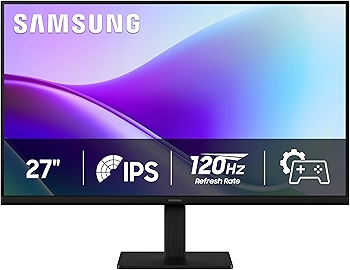 Save 40%
Samsung LS27F320GANXZA 27-Inch IPS FHD 120Hz Monitor with Game Mode
 Save 34%
 Save 40%
Lexar D50E 128GB Dual USB-C & USB-A Portable Solid State Drive
 Save 40%
 Save 29%
Samsung 9100 PRO 1TB PCIe 5.0 x4 NVMe M.2 SSD - Thermal Control
 Save 23%
TP-Link RE550 AC1900 WiFi Extender - Wide Coverage, 2.8k Sq Ft, 35 Devices
